Clean copied text.
Find it again instantly.
CleanClip is a lightweight macOS menu bar app that cleans messy clipboard text formatting and keeps a fast, searchable, local-only clipboard history.
Built for high-productivity workflows.
Everything you copy is instantly cleaned and logged locally. Format-free pasting is finally effortless.
Clean Messy Text Instantly
Remove messy formatting, style markers, or raw spacing issues as soon as you copy. Keep your document styling consistent.
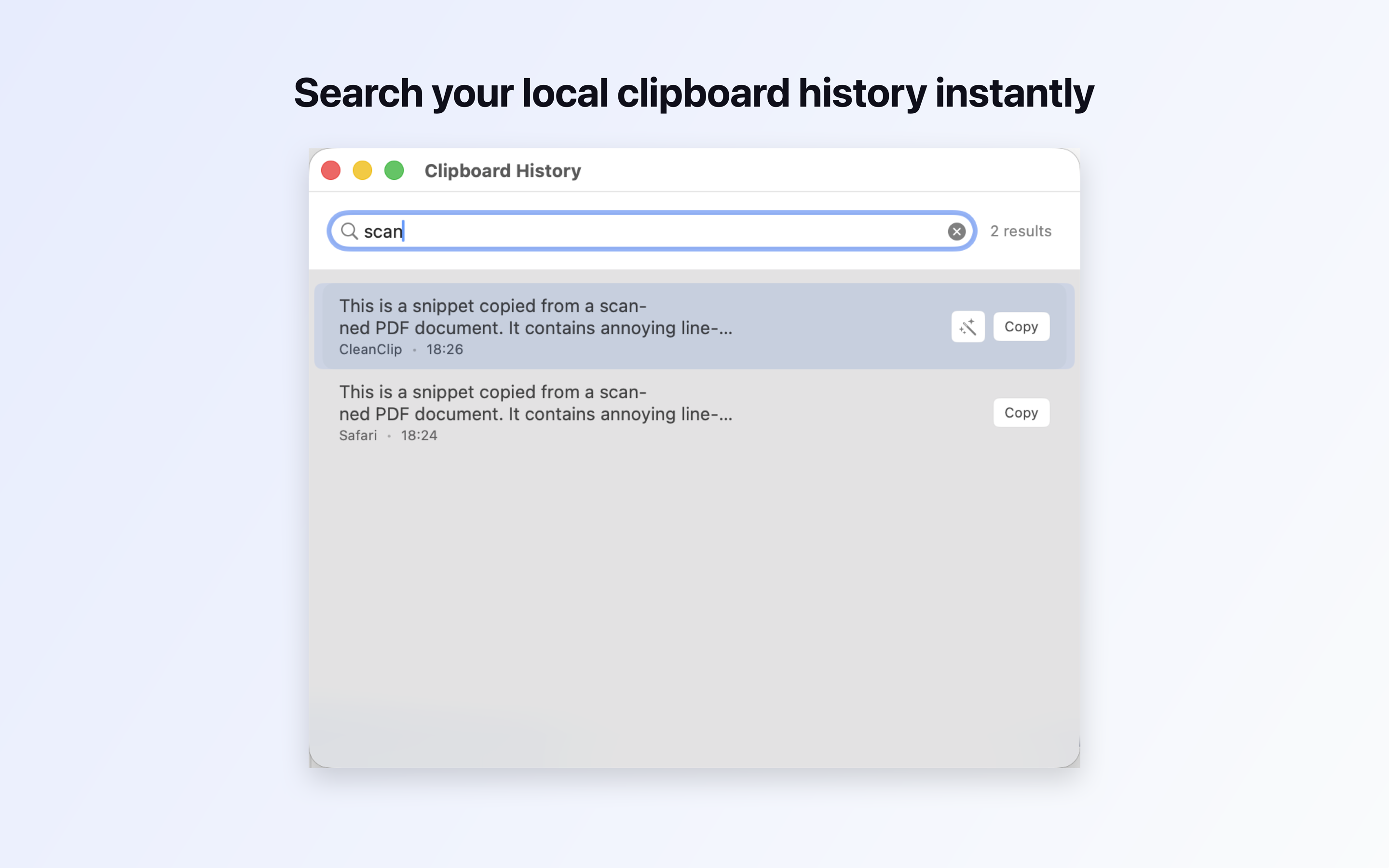
Search Your Local History
A fast, FTS5-indexed, text-only clipboard manager records past snippets. Type keywords to retrieve text immediately.
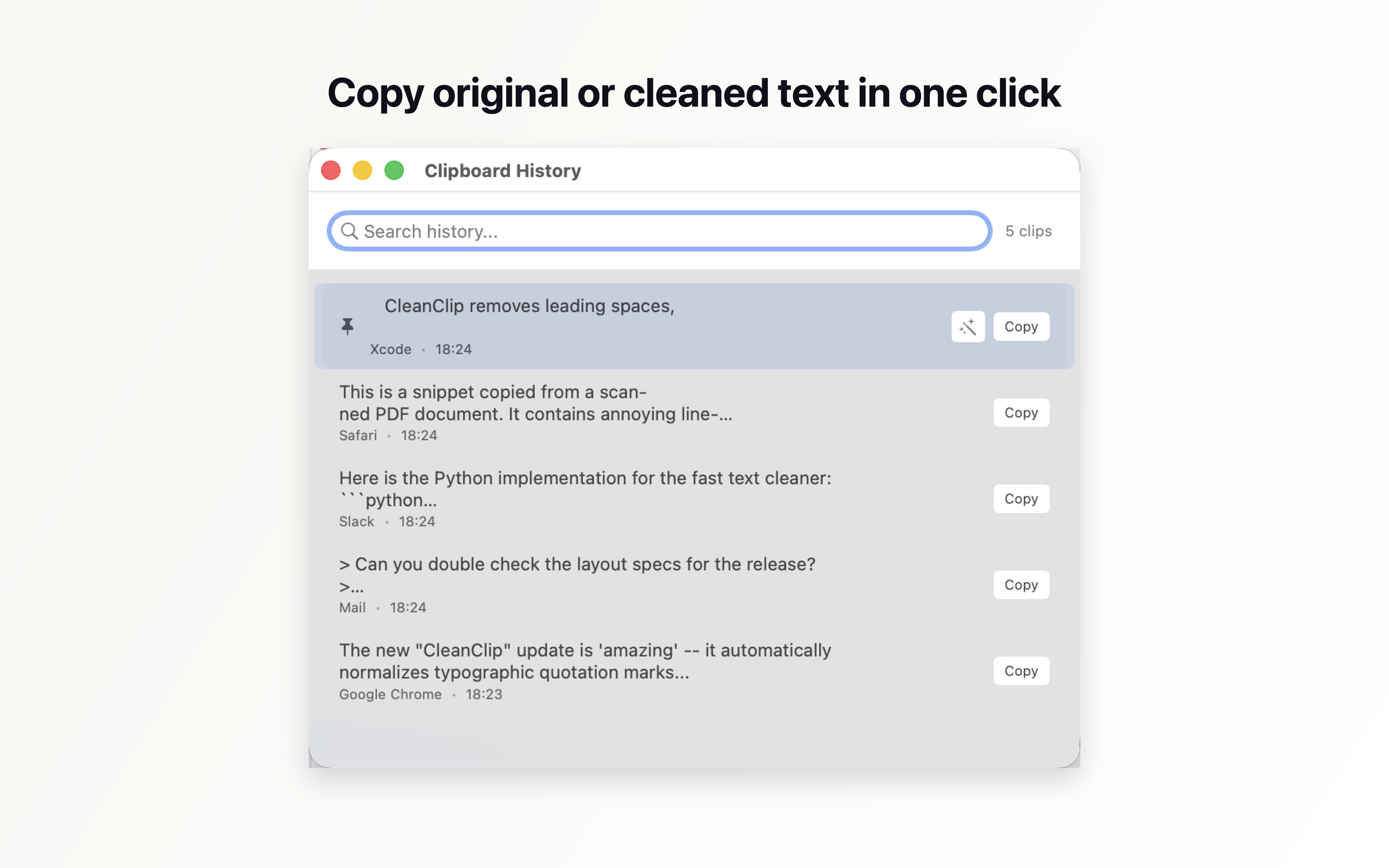
Copy Original or Cleaned
Access your history and choose to copy the raw text or run presets first to keep formatting consistent.
Fix Layout Layout Glitches
Instantly clean PDF line hyphenations, raw email blockquotes, messy chat logs, and double ellipses in one click.
Keyboard-First Workflow
Open, search, configure presets, and trigger copies with customizable global system shortcuts without touching the mouse.
Local-Only Privacy
CleanClip runs locally and fully offline. Your clipboard data never leaves your device. Images and files are completely ignored.
Six Specialized Presets
See how CleanClip formats text patterns dynamically. Click below to preview each preset in action.
Plain Text
Strips all rich text formatting, styles, colors, and margins, leaving only clean plain text.
Clipboard history that respects your workspace
Unlike generic clipboard logs that clutter memory with images and heavy binaries, CleanClip is built specifically for text utility. It records text clipboard logs locally so they are light, fast, and instantly searchable.
- ✓ Fast search-as-you-type querying (FTS5 indexed)
- ✓ Pin important text clips to top lists
- ✓ Automatically clean up records using retention controls
- ✓ Exclude private data through Luhn credit card and API key filters
Privacy is a core feature, not an afterthought.
CleanClip stores clipboard history locally on your Mac. It does not collect, transmit, sell, track, or share clipboard content.
Only text content is stored locally if Clipboard History is enabled. Images, files, and rich formatting are ignored completely to protect your privacy and optimize system resources.
* Note: Sensitive-text detection (credit cards and common API keys) is best-effort and may not catch everything. You can always pause clipboard history capture, clear all history, or delete individual items in settings.
Clean and Minimal Interface
See how CleanClip looks in regular day-to-day use.
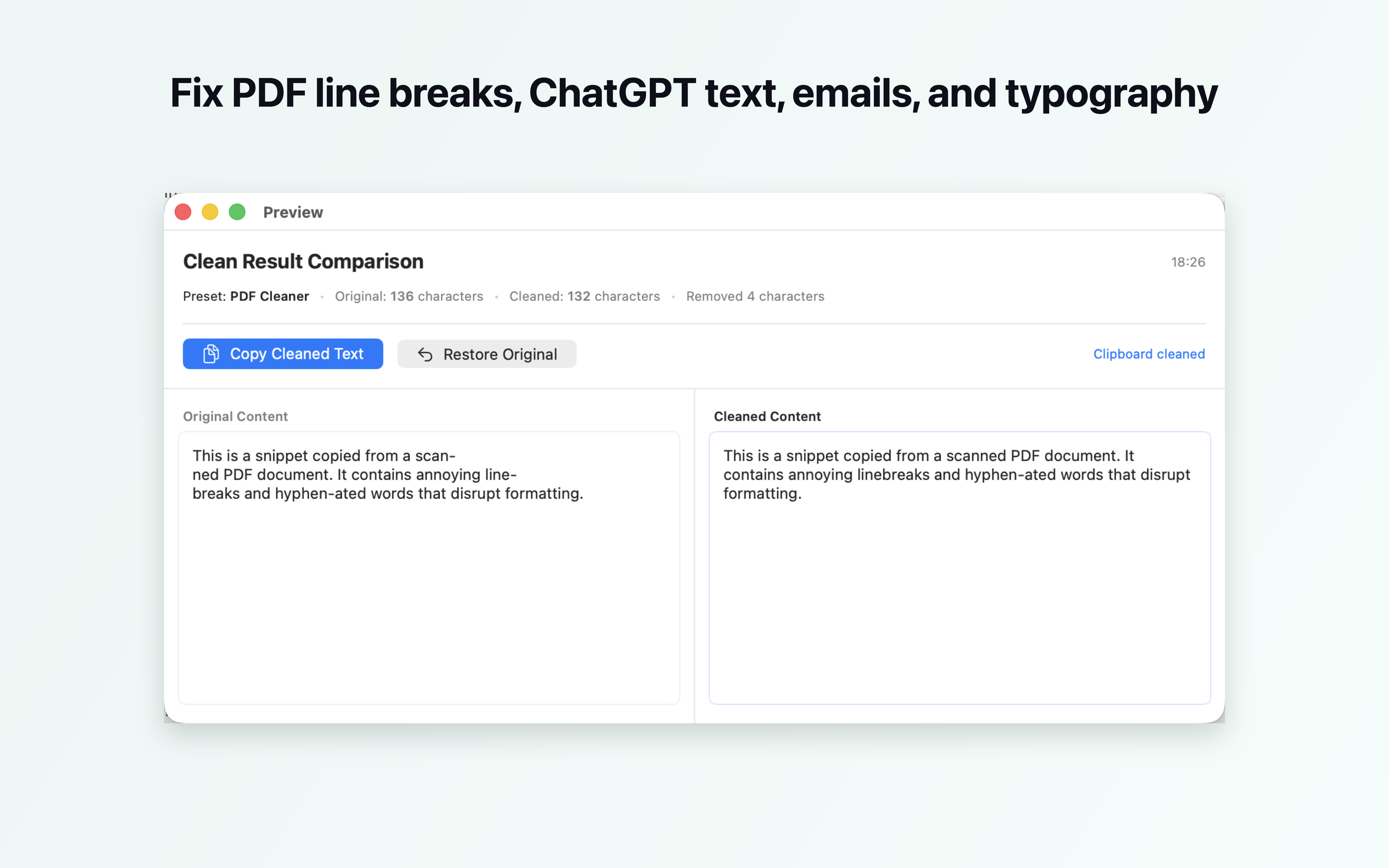
Clean formatting compare view
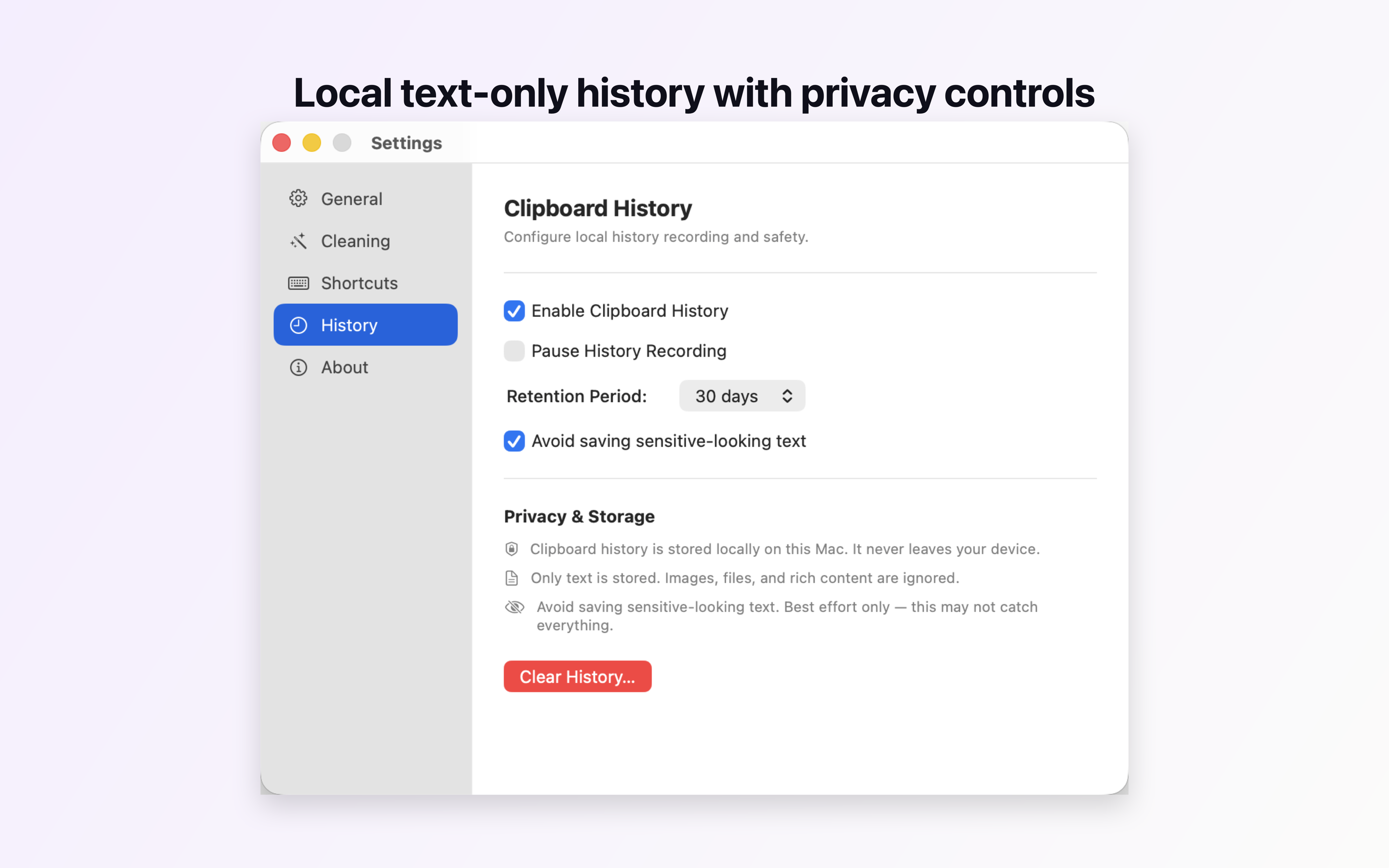
History retention and local controls
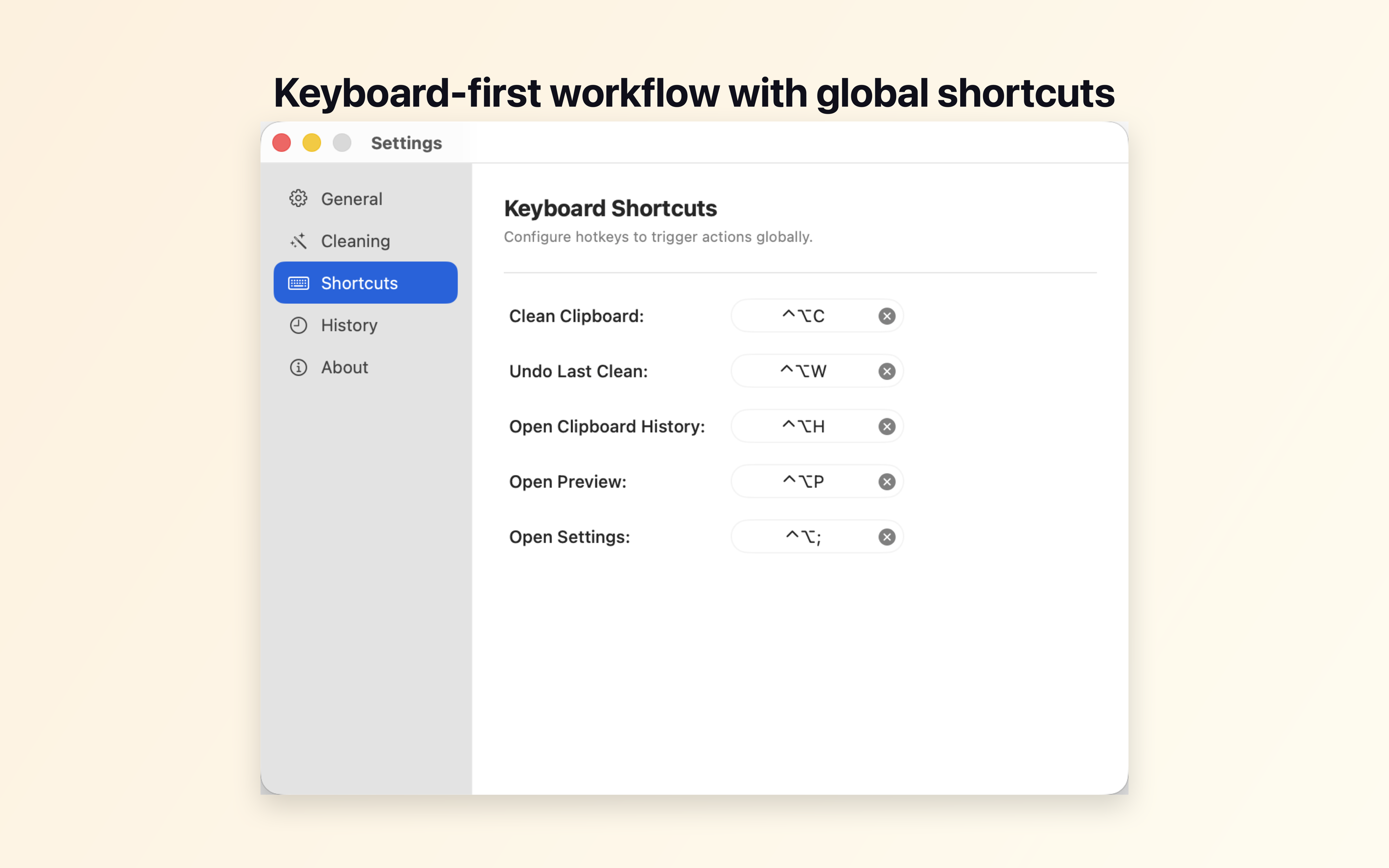
Global shortcut hotkeys configuration
CleanClip for macOS
CleanClip is built for users who care about formatting and privacy. Buy once, use forever.
$4.99
Introductory App Store Price
- ✓ No subscriptions
- ✓ No user accounts
- ✓ Runs fully locally and offline
- ✓ All future updates included